
Infinix Mobile phones may overheat due to app intensity, background processes, camera use, outdated software, or hardware issues like blocked air vents. To prevent overheating, close unnecessary apps, clear cache, update software, and optimize battery usage. For persistent problems, consider data transfer, cloud backup, or professional repair services. Environmental factors like high temperatures and humidity also impact performance, so maintain good ventilation.
Is your Infinix phone feeling like a sauna? Unwanted heat can be frustrating and even harmful. This guide explores why your Infinix Mobile device might be overheating, targeting common causes from software factors to environmental conditions. We’ll delve into how hardware components play a role and provide troubleshooting and prevention tips to keep your phone running cool.
- Understanding Phone Temperature Rise
- Common Causes of Infinix Phone Overheating
- Hardware Components and Their Role
- Software Factors Contributing to Heat
- Environmental Conditions Impact
- Troubleshooting and Prevention Tips
Understanding Phone Temperature Rise
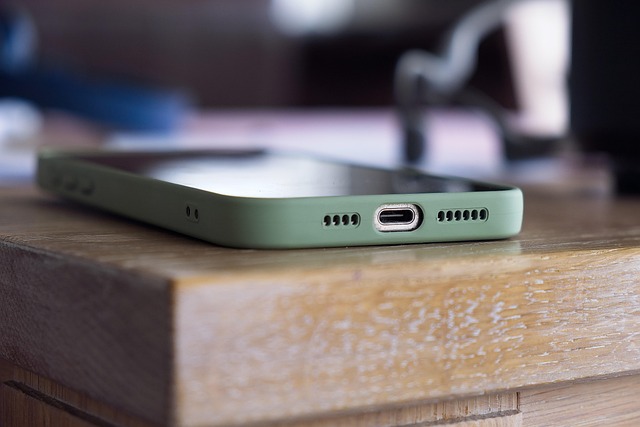
Smartphones, like any electronic device, generate heat as they function and perform various tasks. While some temperature rise is normal, especially during intense operations like gaming or video recording, excessive heating can be a cause for concern. If your Infinix Mobile phone is frequently experiencing high temperatures, it might be worth exploring the reasons behind this issue.
One common reason could be software-related, such as using resource-intensive apps or having multiple applications running in the background. The camera, particularly when capturing high-definition footage or slow-motion videos (as offered by some Infinix models), can also contribute to increased heat generation. Moreover, outdated software or an improper operating system upgrade (upgrading Infinix OS: do’s and don’ts) might lead to performance issues, causing the phone to overheat. To mitigate this, consider optimizing your device by closing unnecessary apps, clearing cache, and ensuring your OS is up-to-date. If the problem persists, it could be hardware-related, and you might want to explore options for transferring data to a new Infinix device or even look into professional repair services, especially if your phone’s battery is also showing signs of stress.
Common Causes of Infinix Phone Overheating

Infinix phones, like any other mobile device, can overheat due to various reasons. Understanding these common causes is essential for maintaining optimal device performance and longevity. One primary factor is excessive usage, especially during prolonged gaming sessions or running resource-intensive applications. These activities demand more power from the phone’s processor and battery, leading to increased heat generation.
Another frequent cause is poor ventilation. Similar to how a car engine needs proper airflow to stay cool, so does an Infinix phone. Obstructions in the air vents or excessive debris buildup can hinder efficient cooling systems, resulting in elevated temperatures. Moreover, using your phone while charging, especially in confined spaces, can exacerbate the issue. To mitigate these problems, consider giving us a call at Infinix cloud backup instructions for data security and explore Infinix privacy settings: protecting your data to prevent unnecessary heat generation from background processes. Additionally, using Infinix camera filters: creative effects during photography can temporarily enhance processor usage, but be mindful of its impact on temperature levels. For DIY enthusiasts, learning infinix phone repair techniques might help in identifying and addressing ventilation issues, but for complex problems, professional assistance could be the better option.
Hardware Components and Their Role

Infinix Mobile devices, like any other smartphone, are packed with various hardware components that work together to deliver optimal performance. These components include processors, graphics chips, batteries, and sensors. Each plays a crucial role in the device’s functionality. For instance, the processor handles all computational tasks while the graphics chip enhances visual experiences. The battery provides power to keep everything running, and sensors enable important features like cameras and temperature monitoring.
When your Infinix phone’s temperature rises, it could be due to several factors. One possible reason is excessive processing load, which might be caused by demanding apps or games. Additionally, poorly optimized software or hardware issues can contribute to elevated temperatures. Thankfully, Infinix offers privacy settings that allow users to protect their data and control app permissions, which can indirectly impact performance. Users interested in enhancing their Infinix camera experience can explore top apps designed for this purpose. For those looking to sell their Infinix phone, understanding these factors is essential for ensuring a smooth transition. Give us a call at root access on Infinix devices to learn more about managing and optimizing your device’s hardware components.
Software Factors Contributing to Heat

The software running on your Infinix Mobile device plays a significant role in its overall performance, including temperature regulation. Several factors within the operating system can contribute to increased heat generation. One common culprit is resource-intensive apps or background processes that demand constant processing power. These activities may include frequent updates, complex calculations, or excessive data transfer, all of which generate heat as byproducts.
Moreover, certain software features, particularly those related to advanced camera modes (explained in our Infinix camera modes article) and security enhancements (as demonstrated in the Infinix security features explained guide), can also impact temperature levels. While these features offer enhanced user experiences, they may require additional processing, leading to higher heat output. If you’re using your Infinix phone as a mobile hotspot, this can further intensify the situation due to network-related processes. Troubleshooting common Infinix issues often involves addressing software conflicts or inefficient code, which can be resolved by updating the OS and apps or conducting factory resets, as recommended by the brand’s support team.
Environmental Conditions Impact

Environmental conditions play a significant role in the overall performance and longevity of your Infinix Mobile device, including its temperature regulation. High ambient temperatures can lead to increased heat generation within the phone, especially during prolonged use. For instance, intense outdoor activities or exposure to direct sunlight for extended periods can cause a rise in temperature. This is not just an issue for high-end devices; even budget smartphones like those reviewed by Infinix can experience elevated temperatures under such conditions.
Moreover, factors like humidity and poor air circulation can exacerbate the problem. In regions with high humidity, moisture buildup inside the device can contribute to overheating. Similarly, if your phone is not well-ventilated, for instance, placed in a tight pocket or case without adequate space for heat dissipation, it may struggle to regulate its temperature effectively. To mitigate these effects, consider keeping your Infinix Mobile device cool by using cases designed with ventilation in mind and avoiding prolonged exposure to extreme environmental conditions. Give us a call at Infinix budget smartphones review for more insights on maintaining optimal device performance.
Troubleshooting and Prevention Tips

If your Infinix Mobile is consistently experiencing high temperatures, it could be due to various factors. Before considering more advanced solutions, try these simple troubleshooting and prevention tips:
1. Check for App Intensive Tasks: Certain apps, especially those demanding heavy processing power or with background data syncs, can cause your phone’s temperature to rise. Close unnecessary apps running in the background and limit multitasking to stabilize the device’s temperature.
2. Optimize Battery Usage: High battery consumption leads to increased heat generation. Reduce screen brightness, disable unnecessary notifications, and adjust energy-saving modes during periods of intense usage.
3. Keep Your Phone Cool: Ensure adequate ventilation by placing your Infinix phone on a cool, flat surface, away from direct sunlight or other sources of heat. Avoid using it in confined spaces, like pockets, for extended periods.
4. Clear Cache and Data: Accumulated cache data can contribute to slower performance and increased heat generation. Regularly clear cache and app data through your phone’s settings.
5. Update Software: Keep your Infinix device updated with the latest software patches. Manufacturer updates often include optimizations for better thermal management.
While these initial steps should resolve minor temperature issues, if the problem persists, consider more advanced solutions like visiting us at infinix cloud backup instructions anytime or exploring topics like intro to infinix phone modding and advanced editing techniques for infinix photos (if applicable) to gain further insights into potential causes and resolutions.
Infinix Mobile phones, like all electronic devices, generate heat during operation. Understanding the causes of elevated temperatures—from hardware components like processors and batteries to software factors and environmental conditions—is key to maintaining optimal device performance and extending battery life. By implementing troubleshooting tips and adopting preventive measures, such as keeping the phone cool, avoiding excessive app usage in the background, and regularly updating software, users can ensure their Infinix devices remain functional and efficient, preventing unwanted overheating.

Leave a Reply
You must be logged in to post a comment.